
I recently learned an important lesson selling sports cards through eBay’s Authenticity Guarantee program: take detailed photos of your raw cards immediately before you ship them.
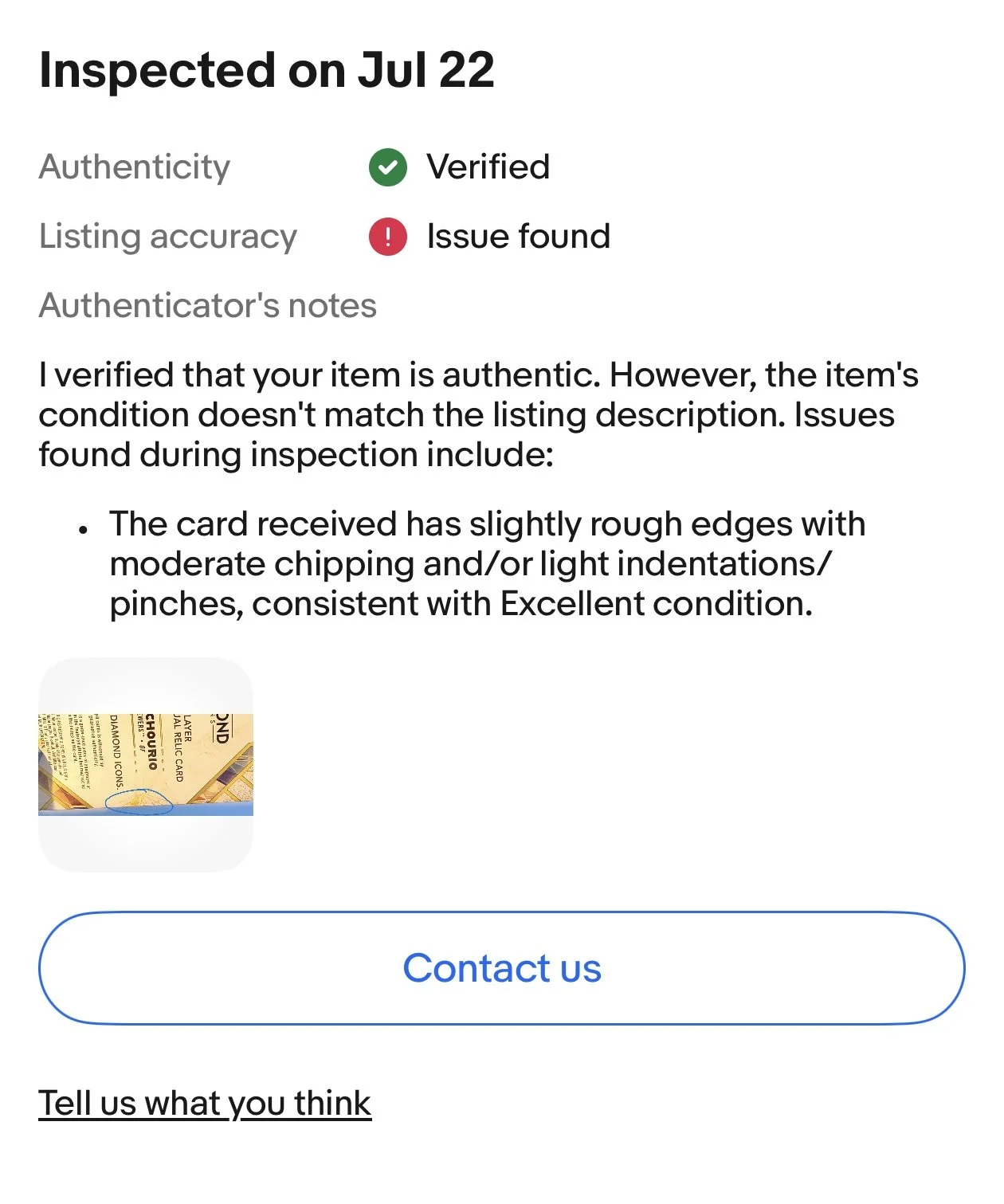
Here’s what happened.
I sold a raw card that qualified for eBay Authenticity Guarantee. I packaged it up, shipped it to the authenticator, and expected the normal process — authentication, then delivery to the buyer. The card passed authentication. It was authentic.
But there was a problem.
The authenticator determined that the condition of the card didn’t match the listing. They identified an issue on the back of the card that I had not disclosed.
eBay gave me the option to offer the buyer a discount because of the condition discrepancy. I declined. My assumption was that eBay would notify the buyer, the buyer would decide whether the condition issue bothered them, and if they didn't respond, the transaction would continue.
That assumption was wrong.
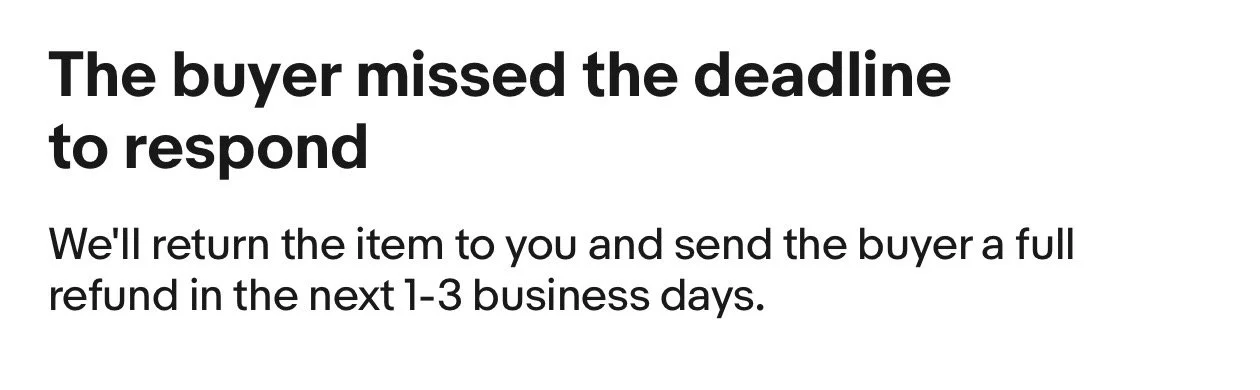
The buyer never responded. Because they didn't respond, the transaction was canceled. The buyer was refunded, and the card was sent back to me.
Was the Authenticator Wrong?
My first reaction was frustration. I didn't remember the condition issue being there when I shipped the card.
But after thinking about it, there's a good chance I simply missed it.
And that's the problem: I have no way to know.
I had the photos from my eBay listing, but I hadn't taken detailed, timestamped photos of the card immediately before packaging and shipping it.
Maybe the issue was there and I overlooked it. Maybe something happened during shipping or handling. I have no evidence either way. As a seller, that's not a position I want to be in again.
The New Rule: Photograph Raw Cards Before Shipping
Going forward, I'm adding another step to my shipping process for higher-value raw cards, especially anything going through eBay Authenticity Guarantee.
Before packaging the card, I'll take clear photos of:
The full front
The full back
All four front corners
All four back corners
Any existing flaws or condition issues
The card immediately before it goes into its protective packaging
This takes maybe a minute or two.
Most of the time, those photos will never be needed. But if an authenticator identifies a condition issue, I'll have a record of exactly what the card looked like when it left my possession.
There's another benefit too: it forces me to inspect the card one last time before shipping.
If I missed a surface issue, corner problem, indentation, scratch, or other defect when creating the listing, there's a chance I'll catch it before the card goes out.
Another Important Lesson: No Response Doesn't Mean Acceptance
This was the other part of the process I misunderstood.
If eBay's authenticator finds a condition discrepancy and asks the buyer whether they still want the card, the buyer has to affirmatively accept it.
Silence isn't acceptance.
In my case, the buyer simply didn't respond. That was enough for the transaction to be canceled, the buyer to receive a refund, and the card to be returned to me.
That's worth knowing before deciding whether to offer a discount. Depending on the card, the sale price, and the condition issue identified, a small discount might make more sense than risking the entire transaction being unwound.
The Cost of Learning
Fortunately, I get the card back. So this isn't a catastrophic mistake. It's an annoying one. I lost the sale, wasted some time, and now have to relist the card. But that's part of building a sports card business.
You develop a process. Something happens that exposes a weakness in that process. Then you fix it.
My shipping checklist now has one more item:
Before shipping a valuable raw card, photograph its condition.
It costs almost nothing and takes very little time. I wish I'd started doing it one transaction earlier.
